Struggling with multiple logins? Take a look at the user account features in Google Chrome. You can run multiple instances of Chrome, each retaining its own context, history, cookies, and distinct bookmarks for each client.
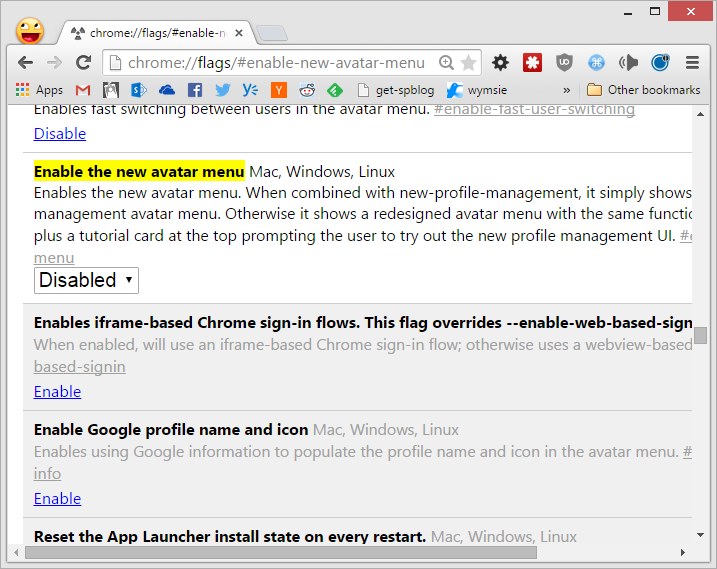
To set this up in Chrome, head to chrome://flags/#enable-new-avatar-menu and disable the new menu (it’s a bit slower to use).
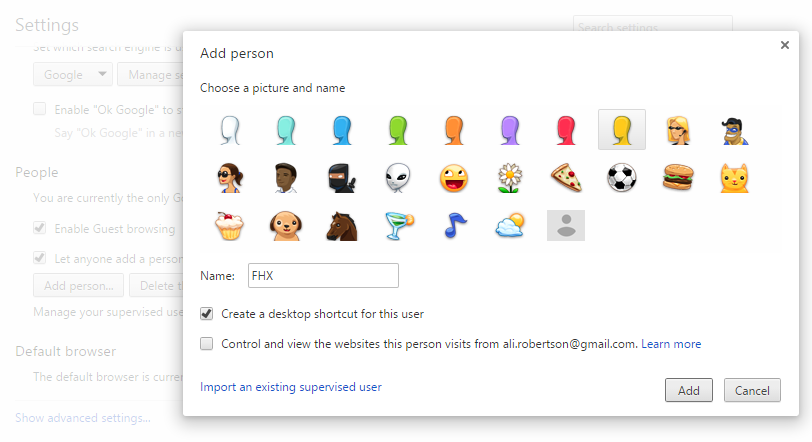
“Relaunch Chrome”, then go to Settings to add a person to your account. Un-check ‘create a desktop icon’.
Once the user account is created, restart your browser again. You’ll now see the user icon in the top left. The menu under this icon lets you launch a new instance in your client’s context. In Windows 7+, each different instance also has its own taskbar icon.
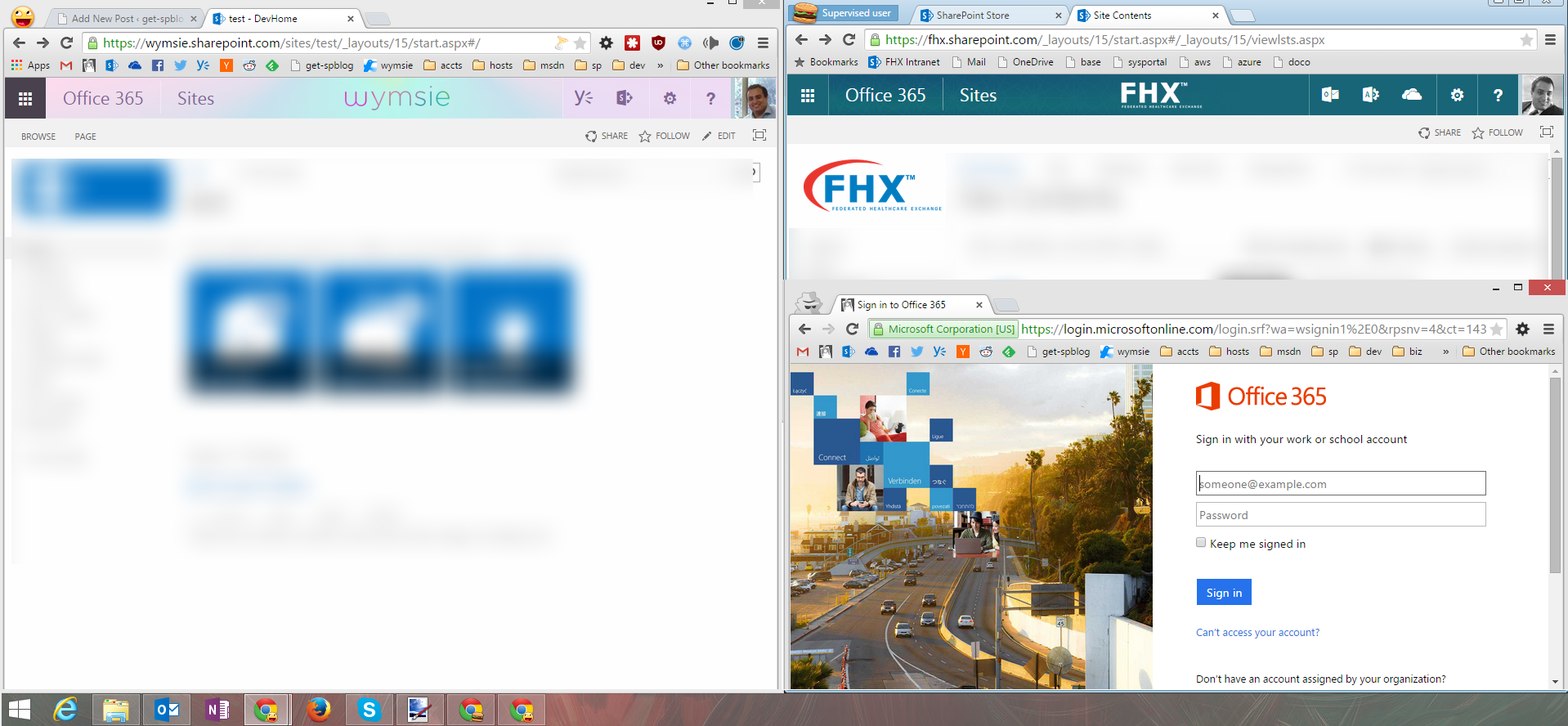
No more browser-juggling or incognito mode frustrations :)